

 NIIMBOT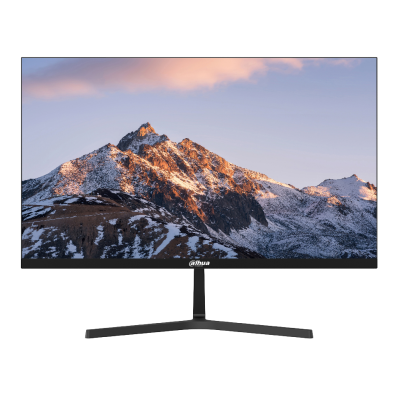
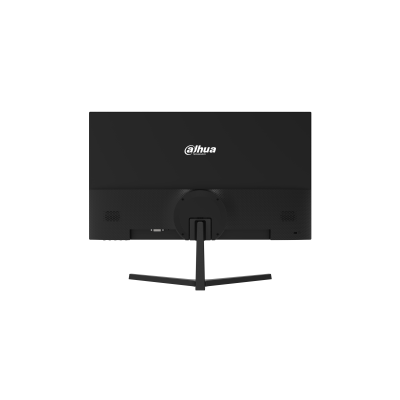



| Feature | Specification |
| Model Code | DHI-LM24-E231 |
| Screen Size | 23.8 Inches (24″ Class) |
| Panel Type | IPS (In-Plane Switching) |
| Resolution | Full HD ($1920 \times 1080$) |
| Refresh Rate | 165Hz |
| Response Time | 1ms (OD) / Fast Response Matrix |
| Color Gamut | 100% sRGB / 85% NTSC Wide Color Coverage |
| Aspect Ratio | 16:9 Landscape Layout |
| Viewing Angles | 178° Horizontal / 178° Vertical |
| Display Inputs | HDMI, DisplayPort (DP), Audio Out |
| Eye Care Tech | Anti-Flicker & Low Blue Light Software Filters |
| VESA Wall Mount | Supported ($75 \times 75 \text{ mm}$) |
“E-Sports Performance Within Reach – DAHUA 165Hz IPS Monitor in Hot Deals!”
Dominate the leaderboard with professional-grade speed and exceptional color precision! The DAHUA DHI-LM24-E231 24″ IPS Full HD Gaming Monitor has officially landed in our Hot Deals. Purpose-built for competitive gamers and hardware enthusiasts looking to build an optimized desktop layout, this display pairs a hyper-reactive 165Hz refresh rate with a rich IPS color matrix. Experience fluid, ghosting-free visuals and stunning contrast while locking in top-tier savings for your gaming rig upgrade.
🚀 Claim your high-performance display panel today and enjoy premium storefront savings!
Why the DAHUA LM24-E231 is a Gaming Powerhouse? (Sales Insight)
The Ultimate Competitive Edge: In modern multiplayer gaming, a higher refresh rate directly improves tracking and reaction times. Upgrading from standard 60Hz to a 165Hz refresh rate lowers system latency and renders fast-moving objects with absolute clarity, letting you track targets smoothly and land critical shots.
No-Compromise Visual Quality: Traditionally, budget gaming monitors forced users to pick between speed (TN panels) or beautiful colors (IPS panels). The LM24-E231 breaks this compromise by matching elite e-sports response parameters with a premium IPS panel, ensuring deep blacks, punchy highlights, and accurate color replication.
Built for Long Gaming Marathons: Extended screen sessions can cause eye fatigue and headaches. Dahua integrates hardware-level anti-flicker protection and dynamic low blue light filters to significantly decrease eye strain, keeping your vision comfortable during intensive work sessions or late-night matches.
Technical Tip: To fully activate the maximum 165Hz refresh rate, ensure you connect the monitor to your graphics card using a DisplayPort (DP) cable. Once plugged in, right-click your desktop, open your operating system’s Display Settings, navigate to Advanced Display, and verify that the refresh rate dropdown menu is toggled to 165Hz rather than defaulting to 60Hz!
Be the first to review “DAHUA DHI LM24-E231 24″ IPS Full HD 165Hz Monitor | LM24-E231”
Related products


Hot Deals




Reviews
There are no reviews yet.